


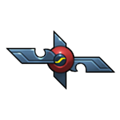
































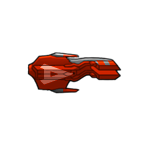
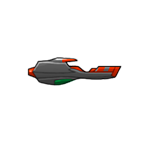
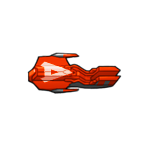
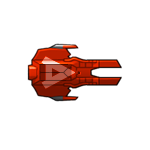
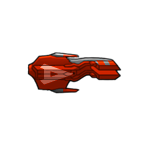
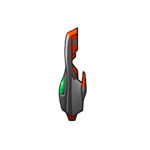
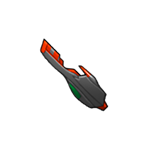
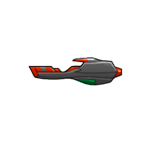
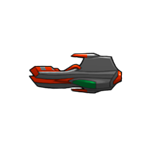
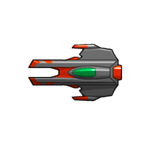





























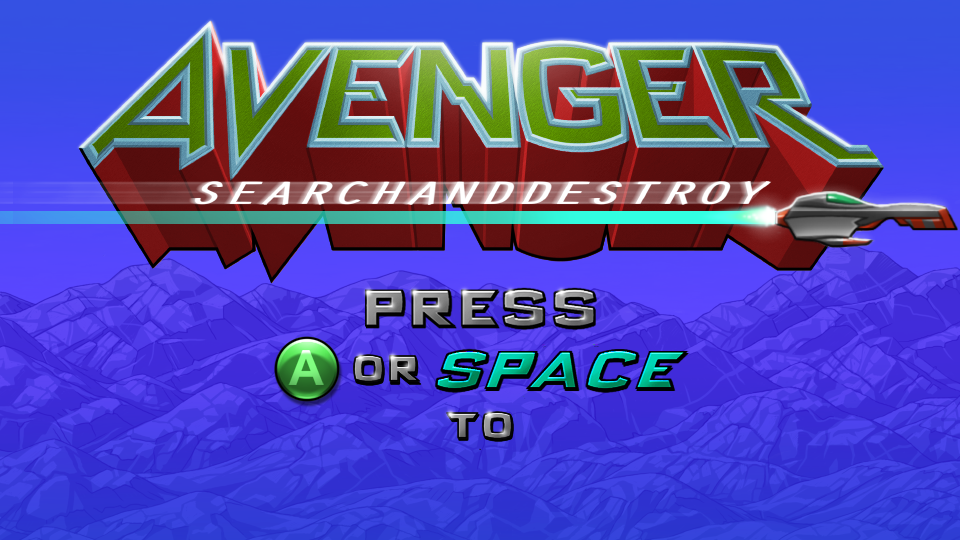


avenger
Attribution
Licensed under Creative Commons Attribution-NonCommercial-ShareAlike 3.0 Unported.
Original Python code
# Avenger - Code the Classics Volume 2
# Code by Eben Upton and Andrew Gillett
# Graphics by Dan Malone
# Music and sound effects by Allister Brimble
# https://github.com/raspberrypipress/Code-the-Classics-Vol2
# https://store.rpipress.cc/products/code-the-classics-volume-ii
# If the game window doesn't fit on the screen, you may need to turn off or reduce display scaling in the Windows/macOS settings
# On Windows, you can uncomment the following two lines to fix the issue. It sets the program as "DPI aware"
# meaning that display scaling won't be applied to it.
#import ctypes
#ctypes.windll.user32.SetProcessDPIAware()
import pgzrun, pygame, pgzero, math, sys
from random import randint, uniform
from enum import Enum, IntEnum
from abc import ABC, abstractmethod
from pygame.math import Vector2
# Check Python version number. sys.version_info gives version as a tuple, e.g. if (3,7,2,'final',0) for version 3.7.2.
# Unlike many languages, Python can compare two tuples in the same way that you can compare numbers.
if sys.version_info < (3,6):
print("This game requires at least version 3.6 of Python. Please download it from www.python.org")
sys.exit()
# Check Pygame Zero version. This is a bit trickier because Pygame Zero only lets us get its version number as a string.
# So we have to split the string into a list, using '.' as the character to split on. We convert each element of the
# version number into an integer - but only if the string contains numbers and nothing else, because it's possible for
# a component of the version to contain letters as well as numbers (e.g. '2.0.dev0')
# This uses a Python feature called list comprehension
pgzero_version = [int(s) if s.isnumeric() else s for s in pgzero.__version__.split('.')]
if pgzero_version < [1,2]:
print(f"This game requires at least version 1.2 of Pygame Zero. You have version {pgzero.__version__}. Please upgrade using the command 'pip3 install --upgrade pgzero'")
sys.exit()
WIDTH = 960
HEIGHT = 540
TITLE = "Avenger"
LEVEL_WIDTH = 4096
LEVEL_HEIGHT = 640
WAVE_COMPLETE_SCREEN_DURATION = 320
SHOW_DEBUG_LINES = False
# These positions are all relative to the terrain image, which is displayed with an offset from the top of the game world
HUMAN_START_POS = ((204, 410), (489,209), (865,374), (1262,405), (1937,263), (2193,278), (2601,405), (2846,347), (3317,193), (3646,233))
TERRAIN_OFFSET_Y = 160
# Utility functions
def sign(x):
# Returns 1, 0 or -1 depending on whether number is positive, zero or negative
if x == 0:
return 0
else:
return -1 if x < 0 else 1
def remap(old_val, old_min, old_max, new_min, new_max):
# Remap a number from one range to a different range
# e.g. remapping 5 from source range of 0 to 10, to destination range of 0 to 100, becomes 50
return (new_max - new_min)*(old_val - old_min) / (old_max - old_min) + new_min
def remap_clamp(old_val, old_min, old_max, new_min, new_max):
# Like remap, but constrains the resulting value so that it can't be outside the new range
# These first two lines are in case new_min and new_max are inverted
lower_limit = min(new_min, new_max)
upper_limit = max(new_min, new_max)
return min(upper_limit, max(lower_limit, remap(old_val, old_min, old_max, new_min, new_max)))
# For animations which should run from the first frame to the last frame and then backwards through those frames
# before repeating
def forward_backward_animation_frame(frame, num_frames):
# With 4 frames, the repeating sequence should be 0, 1, 2, 3, 2, 1
if num_frames < 2:
return 0
frame %= ((num_frames * 2) - 2)
if frame >= num_frames:
frame = (num_frames - 1) * 2 - frame
return frame
# ABC = abstract base class - a class which is only there to serve as a base class, not to be instantiated directly
class Controls(ABC):
NUM_BUTTONS = 1
def __init__(self):
self.button_previously_down = [False for i in range(Controls.NUM_BUTTONS)]
self.is_button_pressed = [False for i in range(Controls.NUM_BUTTONS)]
def update(self):
# Call each frame to update button status
for button in range(Controls.NUM_BUTTONS):
button_down = self.button_down(button)
self.is_button_pressed[button] = button_down and not self.button_previously_down[button]
self.button_previously_down[button] = button_down
@abstractmethod
def get_x(self):
# Overridden by subclasses
pass
@abstractmethod
def get_y(self):
# Overridden by subclasses
pass
@abstractmethod
def button_down(self, button):
# Overridden by subclasses
pass
def button_pressed(self, button):
return self.is_button_pressed[button]
class KeyboardControls(Controls):
def get_x(self):
if keyboard.left:
return -1
elif keyboard.right:
return 1
else:
return 0
def get_y(self):
if keyboard.up:
return -1
elif keyboard.down:
return 1
else:
return 0
def button_down(self, button):
if button == 0:
return keyboard.space
return False
class JoystickControls(Controls):
def __init__(self, joystick):
super().__init__()
self.joystick = joystick
joystick.init() # Not necessary in Pygame 2.0.0 onwards
def get_axis(self, axis_num):
# First check if there is an input on the dpad for the X axis. The dpad is classified here as a joystick 'hat'
if self.joystick.get_numhats() > 0 and self.joystick.get_hat(0)[axis_num] != 0:
# For some reason, dpad up/down are inverted when getting inputs from
# an Xbox controller, so need to negate the value if axis_num is 1
return self.joystick.get_hat(0)[axis_num] * (-1 if axis_num == 1 else 1)
# If no input on the dpad, check for analogue left/right input
axis_value = self.joystick.get_axis(axis_num)
if abs(axis_value) < 0.6:
# Dead-zone
return 0
else:
# digital movement
return 1 if axis_value > 0 else -1
def get_x(self):
return self.get_axis(0)
def get_y(self):
return self.get_axis(1)
def button_down(self, button):
# Before checking button, check to make sure that the controller actually has enough buttons
# There are some weird devices out there which could cause a crash if this check were not present
if self.joystick.get_numbuttons() <= button:
print("Warning: main controller does not have enough buttons!")
return False
return self.joystick.get_button(button) != 0
# This class encapsulates the concept of an object in a scrolling game world that wraps around at the edges
class WrapActor(Actor):
def __init__(self, image, pos):
super().__init__(image, pos)
def update(self):
# If the actor goes off the left or right edge of the game world, relative to the player,
# wrap it back round to the other side
while self.x - game.player.x < -LEVEL_WIDTH/2:
self.relocate(LEVEL_WIDTH)
while self.x - game.player.x > LEVEL_WIDTH/2:
self.relocate(-LEVEL_WIDTH)
def draw(self, offset_x, offset_y):
# offset_x/y are for scrolling
# Before drawing the sprite, we adjust the actor's position to take account of scrolling,
# moving it into screen space
self.pos = (self.x + offset_x, self.y + offset_y)
super().draw()
# After drawing, we shift the actor's position back into world space
self.pos = (self.x - offset_x, self.y - offset_y)
def relocate(self, delta):
self.x += delta
# A bullet fired by an enemy
class Bullet(WrapActor):
def __init__(self, pos, velocity):
super().__init__("blank", pos)
self.velocity = velocity
distance = (Vector2(pos) - Vector2(game.player.pos)).length()
volume = remap_clamp(distance, 400, 2500, 1, 0)
game.play_sound("enemy_laser", volume=volume)
def update(self):
super().update()
self.pos += self.velocity
# Update sprite animation
self.image = "bullet" + str((game.timer // 4) % 2)
# Return True or False depending on whether we want the bullet to be destroyed, either when it's hit something,
# or because it's gone too far from the player.
too_far = self.x < game.player.x - WIDTH or self.x > game.player.x + WIDTH
return game.player.hit_test(self.pos) or too_far
# A laser fired by the player
class Laser(WrapActor):
def __init__(self, x, y, vel_x):
facing_idx = 0 if vel_x > 0 else 1
image = f"laser_{facing_idx}_0"
super().__init__(image, pos=(x + vel_x, y))
self.vel_x = vel_x
self.anim_timer = 0
game.play_sound("player_shoot")
def update(self):
super().update()
# Update position
self.x += self.vel_x
# Update sprite
self.anim_timer += 1
facing_idx = 0 if self.vel_x > 0 else 1
self.image = f"laser_{facing_idx}_{min(1, self.anim_timer // 8)}"
# For Laser and Bullet, the update methods return True or False depending on whether we want them to be
# destroyed. This is either because they've hit something, or because they've gone too far from the player.
too_far = abs(self.x - game.player.x) > 800
# This list comprehension calls laser_hit_test with this laser's position for each enemy and human in the level.
# We end up with a list of boolean (True or False) values. By getting the sum of the resulting list, we can
# tell how many collisions occurred. This works because when converting a boolean to an integer in Python,
# True is equivalent to 1 and False is equivalent to 0.
# This will also kill any enemy of human that collides with the laser
collisions = [obj.laser_hit_test(self.pos) for obj in game.enemies + game.humans]
return too_far or sum(collisions) > 0
class Player(WrapActor):
# Drag for X and Y axes - closer to 1 = less drag, higher top speed
DRAG = Vector2(0.98, 0.9)
# Force for X and Y axes - higher numbers = more acceleration, higher top speed
FORCE = Vector2(0.2, 0.5)
# Number of frames for which the player ship plays its explode animation
EXPLODE_ANIM_SPEED = 4
EXPLODE_FRAMES = 18 * EXPLODE_ANIM_SPEED
class Timer(IntEnum):
HURT = 0
FIRE = 1
ANIM = 2
EXPLODE = 3
def __init__(self, controls):
super().__init__("blank", (WIDTH / 2, LEVEL_HEIGHT / 2))
self.controls = controls
self.velocity = Vector2(0, 0)
self.lives = 5
self.shields = 5
self.extra_life_tokens = 0
self.facing_x = 1
self.tilt_y = 0
# We store and update the timers as a list of four numbers, the indices corresponding to the values in the
# Timer enum above
self.timers = [0, 0, 0, 0]
self.frame = 0
self.carried_human = None
# Our radar blip
self.blip = Actor("dot-white")
# Thrust sprite
self.thrust_sprite = WrapActor("blank", (0,0))
# Load thrust sound. This is not played with Game.play_sound as it requires custom behaviour - looping and
# fading in/out. Enclosed in a try/except section to deal with the case where the sound file can't be loaded,
# which can occur if there is no sound hardware or sound is disabled
try:
self.thrust_sound = sounds.thrust0
except Exception:
self.thrust_sound = None
self.thrust_sound_playing = False
def hit_test(self, pos):
# Check if the given position falls within the bounds of the player sprite
# If we're dead or in the explode animation, always return false
if self.lives == 0 or self.timers[Player.Timer.EXPLODE] > 0:
return False
# As the sprite's rectangle is bigger than the actual visible part of the sprite (see e.g. ship0.png),
# instead of calling self.colliderect, we just check to see whether the given position is within 40 pixels
# of the centre of the sprite on the X axis, and within 15 pixels of the centre on the Y axis
if abs(pos[0] - self.x) < 40 and abs(pos[1] - self.y) < 15:
# If there's a collision, set the 'hurt' timer so that we glow to indicate damage, and decrease shields
# by 1
self.timers[Player.Timer.HURT] = 60
self.shields -= 1
game.play_sound("player_hit")
if self.shields == 0:
# Lose a life
self.lives -= 1
# If it's game over and we're playing the thrust sound, stop it
if self.lives == 0 and self.thrust_sound_playing:
# try/except block ensures that this code still works if there is no sound hardware
try:
self.thrust_sound.fadeout(200)
except Exception:
# Ignore errors
pass
self.thrust_sound_playing = False
# Explode, later we will respawn in a random position
game.play_sound("player_explode")
self.timers[Player.Timer.EXPLODE] = Player.EXPLODE_FRAMES
# Any human we're carrying when we lose a life will be dropped
if self.carried_human is not None:
self.carried_human.dropped()
self.carried_human = None
return True
else:
return False
def update(self):
# Decrease all timer values by 1
self.timers = [i - 1 for i in self.timers]
# If we're currently exploding, don't do any of the normal behaviour, just set our sprite to the appropriate
# frame, then randomise our position when the timer runs out
if self.timers[Player.Timer.EXPLODE] > 0:
# Work out animation frame and set sprite image
frame = (Player.EXPLODE_FRAMES - self.timers[Player.Timer.EXPLODE]) // Player.EXPLODE_ANIM_SPEED
self.image = "ship_explode" + str(frame)
# No thrust sprite while exploding
self.thrust_sprite.image = "blank"
# Respawn in new location if timer is about to run out, unless we're out of lives
if self.timers[Player.Timer.EXPLODE] == 1 and self.lives > 0:
self.respawn()
elif self.lives == 0:
# If we're not exploding but out of lives, hide the sprite and don't do anything else
self.image = "blank"
self.thrust_sprite.image = "blank"
else:
# Not exploding or dead
x_input = self.controls.get_x()
y_input = self.controls.get_y()
move = Vector2(x_input, y_input)
self.tilt_y = y_input
if x_input != 0:
self.facing_x = sign(x_input)
# Only apply movement force on X axis if player facing the same direction they're trying to accelerate in,
# and the ship has fully animated to that facing direction
if self.frame % 8 != 0 or sign(self.facing_x) != sign(move.x):
move.x = 0
self.velocity = Vector2(self.velocity.x * Player.DRAG.x + move.x * Player.FORCE.x,
self.velocity.y * Player.DRAG.y + move.y * Player.FORCE.y)
# Apply velocity to position
self.pos += self.velocity
# Limit Y position
self.y = max(0, min(LEVEL_HEIGHT, self.y))
# Update radar blip position
self.blip.pos = game.radar.radar_pos(self.pos)
# Check to see if we can pick up a falling human
if self.carried_human is None:
for human in game.humans:
if human.can_be_picked_up_by_player() and (Vector2(human.pos) - self.pos).length() < 40:
human.picked_up(self)
self.carried_human = human
break
else:
# If we're carrying a human, update their position and check if are they in a place where they can be
# safely deposited on the ground
self.carried_human.pos = (self.pos[0], self.pos[1] + 50)
if self.carried_human.terrain_check():
self.carried_human.dropped()
self.carried_human = None
game.play_sound("rescue_prisoner")
# The last part of this method deals with deciding which sprite to display, and if we're on an appropriate
# animation frame, also checks to see if the player wants to fire
# Ship sprites start with either "ship" or "hurt"
# Frames 0 and 8 are the ship facing right and left. There are variations for these frames for the ship
# tilting up and down - e.g. ship0d, used when moving down
# Frames 1 to 7 and 9 to 15 are for when the ship flips over to change its facing direction. These do not
# have tilted up/down variations.
target = 8 if self.facing_x < 0 else 0
if self.frame == target:
# If we're on our target frame, and we haven't fired too recently, we're allowed to fire
if self.controls.button_down(0) and self.timers[Player.Timer.FIRE] <= 0:
self.timers[Player.Timer.FIRE] = 10
# Create a laser with the appropriate offset from the player
laser_vel_x = self.velocity[0] + 20 * self.facing_x
laser_x = self.x + 40 * self.facing_x
laser_y = self.y + self.get_laser_fire_y_offset()
game.lasers.append(Laser(laser_x, laser_y, laser_vel_x))
else:
# If we're not on our target frame, animate towards it every three game frames
if self.timers[Player.Timer.ANIM] <= 0:
self.timers[Player.Timer.ANIM] = 3
# We always animate forward through the frames, wrapping back to zero when we hit 16
self.frame = (self.frame + 1) % 16
# Fade thrust sound in or out depending on whether we're thrusting
# Ship must be fully facing in the direction player is trying to move in, for the thrust to occur
# try/except block ensures that this code still works if there is no sound hardware
try:
if self.thrust_sound is not None:
if move.x != 0 and self.frame == target and not self.thrust_sound_playing:
self.thrust_sound.set_volume(0.3)
self.thrust_sound.play(loops=-1, fade_ms=200) # Loop indefinitely, fade in
self.thrust_sound_playing = True
elif (move.x == 0 or self.frame != target) and self.thrust_sound_playing:
self.thrust_sound.fadeout(200)
self.thrust_sound_playing = False
except Exception:
# Ignore errors
pass
anim_type = "ship" if self.timers[Player.Timer.HURT] <= 0 else "hurt"
tilt = ""
if self.frame % 8 == 0 and self.tilt_y != 0:
tilt = "u" if self.tilt_y < 0 else "d"
# Set sprite
self.image = anim_type + str(self.frame) + tilt
# Set thrust sprite
if self.frame % 8 != 0 or move.x == 0:
self.thrust_sprite.image = "blank"
else:
direction = 0 if move.x > 0 else 1
frame = (game.timer // 3) % 2
self.thrust_sprite.image = f"boost_{direction}_{frame}"
x_offset = 66
y_offset = -3
self.thrust_sprite.pos = (self.x + x_offset * -move.x, self.y + y_offset)
def respawn(self):
# Restore shields
self.shields = 5
# Try several random positions and assign a score to each one, choosing the one which is furthest from
# any one enemy on the X axis
best_score = 0
for i in range(20):
def wrap_distance(x1, x2):
# Return the distance between two X positions, taking the wrapping nature of the level
# into account
x1 = x1 % LEVEL_WIDTH
x2 = x2 % LEVEL_WIDTH
dist = abs(x1 - x2) # distance without wrapping
if dist < LEVEL_WIDTH / 2:
return dist
else:
return LEVEL_WIDTH - dist
random_pos = Vector2(uniform(0, LEVEL_WIDTH - 1), uniform(150, 300))
if len(game.enemies) == 0:
# If there are no enemies, just go with the first random position
self.pos = random_pos
break
else:
# If there are enemies, score the random position based on how far away the closest
# enemy is on the X axis - the further the better
all_distances = [wrap_distance(enemy.x, random_pos.x) for enemy in game.enemies]
score = min(all_distances)
if score >= best_score:
self.pos = random_pos
best_score = score
def flash(self, offset_x, offset_y):
# Displays a flash sprite at the point where a laser turret fires. Only allowed if we're on an appropriate
# animation frame, and if we've just fired within the last few frames
# offset_x/y are for scrolling
if self.frame % 8 == 0 and self.timers[Player.Timer.FIRE] > 5:
# flash0 is for when the ship is facing right (frame 0), flash1 for facing left (frame 8), so by doing
# an integer division of self.frame by 8 we get the correct flash frame number
sprite = "flash" + str(self.frame // 8)
x = self.x + offset_x - 25
y = self.y + offset_y - 13 + self.get_laser_fire_y_offset()
screen.blit(sprite, (x,y))
def get_laser_fire_y_offset(self):
# The starting Y position of the laser should vary by a few pixels depending on how the ship is tilted
# We can achieve this using a list of three values and then indexing into that list using the ship's
# tilt_y (which will be either -1, 0 or 1)
return [-1, 3, 2][self.tilt_y + 1]
def draw(self, offset_x, offset_y):
# Draw the sprite with the given offset to account for scrolling, and with laser firing flash if required
# Depending on the tilt of the ship, we draw the laser firing flash either before or after the ship itself
# This is because the laser is fired from the underside of the ship, if the ship was tilting down and we
# displayed the laser after the ship, it would display through the ship.
if self.tilt_y == 1:
self.flash(offset_x, offset_y)
# Call the WrapActor draw method
super().draw(offset_x, offset_y)
# Draw thrust sprite (blip is done in Game.draw_ui)
self.thrust_sprite.draw(offset_x, offset_y)
if self.tilt_y != 1:
self.flash(offset_x, offset_y)
def is_carrying_human(self):
return self.carried_human is not None
def level_ended(self, shield_restore_amount, humans_saved):
self.shields = min(self.shields + shield_restore_amount, 5)
# Earn an extra life token if all humans were saved
if humans_saved == 10:
self.extra_life_tokens += 1
# Get an extra life if we get 3 life tokens
if self.extra_life_tokens >= 3:
self.lives += 1
self.extra_life_tokens -= 3
class Radar(Actor):
def __init__(self):
super().__init__("radar", pos=(WIDTH/2, 4), anchor=('center', 'top'))
def radar_pos(self, pos):
# Converts a position in world space into a position on the radar in screen space
return (self.left + ((int(pos[0]) % LEVEL_WIDTH) / 11.5), self.y + (int(pos[1]) // 11))
class EnemyState(Enum):
START = 0
ALIVE = 1
EXPLODING = 2
DEAD = 3
class EnemyType(Enum):
LANDER = 0
MUTANT = 1
BAITER = 2
POD = 3
SWARMER = 4
class Enemy(WrapActor):
def __init__(self, start_timer=0, type=EnemyType.LANDER, pos=None, start_vel=None):
# Varying start_timer allows the creation of enemies which wait a while before beginning their 'appear'
# animation, the default value of zero means the appear animation will start immediately.
# If no position has been supplied, generate a random position
if pos is None:
pos = (randint(0, LEVEL_WIDTH - 1), randint(32, LEVEL_HEIGHT - 32))
# Call Actor constructor
super().__init__("blank", pos)
self.type = type
if self.type == EnemyType.LANDER:
self.max_speed = 5
self.acceleration = 0.1
elif self.type == EnemyType.MUTANT:
self.max_speed = 9
self.acceleration = 0.5
elif self.type == EnemyType.BAITER:
self.max_speed = 9
self.acceleration = 0.01
elif self.type == EnemyType.POD:
self.max_speed = 10
self.acceleration = 0.03
elif self.type == EnemyType.SWARMER:
self.max_speed = 8
self.acceleration = 1
# Select a target position which the enemy will oscillate around. If the enemy is within a particular
# distance of the player, this will be updated to a random offset from the player's current position, unless
# the target pos is already close to the player
self.target_pos = Vector2(self.x + uniform(-100, 100), self.y + uniform(-100, 100))
self.update_target_timer = 0
self.velocity = start_vel if start_vel is not None else Vector2(0, 0)
# Most enemies start in 'start' state where they play an animation to appear. Swarmers just appear immediately
if self.type == EnemyType.SWARMER:
self.state = EnemyState.ALIVE
self.state_timer = 0
else:
self.state = EnemyState.START
self.state_timer = start_timer
# Enemies will sometimes pick up humans and carry them into the sky, turning them into mutants
self.target_human = None
self.carrying = False
# Counts down, allowed to shoot when zero or lower
self.bullet_timer = randint(30, 90)
# This is only used for baiter enemies, which fire in a fixed pattern of ever-increasing angles
self.fire_angle = 0
# Create our radar blip
self.blip = Actor("dot-red")
self.anim_timer = randint(0, 47)
def relocate(self, delta):
super().relocate(delta)
self.target_pos += Vector2(delta, 0)
def laser_hit_test(self, pos):
# Given a position, see if it falls within this sprite's rectangle (but only if we're in the alive state)
# Kill the enemy if it is touching this position
if self.collidepoint(pos) and self.state == EnemyState.ALIVE:
self.state = EnemyState.EXPLODING
self.state_timer = 0
self.anim_timer = 0
if self.target_human is not None:
if self.carrying:
self.target_human.dropped()
self.target_human = None
self.carrying = False
game.play_sound("enemy_explode", 6)
# If we're a pod, release several swarmers
if self.type == EnemyType.POD:
for i in range(3):
start_vel = Vector2(uniform(-25,25), uniform(-25,25))
game.enemies.append(Enemy(0, EnemyType.SWARMER, pos, start_vel))
return True
else:
return False
def update(self):
super().update()
if self.state == EnemyState.START:
self.state_timer += 1
# When state timer hits 1, that means our appear animation has just started
if self.state_timer == 1:
if self.type == EnemyType.MUTANT:
game.play_sound("enemy_appear_mutant")
elif self.type == EnemyType.LANDER:
game.play_sound("enemy_appear_normal")
elif self.type == EnemyType.BAITER:
game.play_sound("enemy_appear_ufo")
# When state timer hits 33, we've finished the appear animation, so we switch to the alive state
if self.state_timer == 33:
self.state = EnemyState.ALIVE
elif self.state_timer >= 0:
# Play appear animation
self.image = "appear" + str(self.state_timer // 3)
elif self.state == EnemyState.ALIVE:
# Enemy is alive
max_speed = self.max_speed
# If we're targeting or carrying a human, check to see if they were shot by the player
if self.target_human is not None and self.target_human.dead:
self.target_human = None
self.carrying = False
# Should we start heading for a human to pick up?
if self.target_human is None and self.type == EnemyType.LANDER and uniform(0, 1) < 0.001:
# Find a human who isn't currently being carried, and isn't being targeted by another enemy
targeted_humans = [enemy.target_human for enemy in game.enemies if enemy.target_human is not None]
available_humans = [human for human in game.humans if human not in targeted_humans and human.can_be_picked_up_by_enemy()]
if len(available_humans) > 0:
# Choose nearest human - i.e. the human with the minimum distance
# We use length_squared in this case to get the distance, instead of length, because length_squared
# is faster, and we don't care about what the actual distance is, just which distance is shortest
self.target_human = min(available_humans, key=lambda human: (Vector2(human.pos) - self.pos).length_squared())
# Try to move towards a target position. This will either be the player position, a human we're about to
# pick up, the top of the sky (if we're carrying a human), or the previously determined target pos, which
# is initially an offset from the starting position
if self.target_human is not None:
if self.carrying:
# Carrying a human into the sky - target pos will be our current pos on the X axis
# and close to the top of the screen on the Y axis
self.target_pos = Vector2(self.pos[0], 64)
max_speed = 0.5
# If we reach the top of the screen, turn the captured human into a mutant enemy
if abs(self.pos[1] - self.target_pos.y) < 10:
game.enemies.append(Enemy(type=EnemyType.MUTANT, pos=self.target_human.pos))
self.target_human.die()
self.target_human = None
self.carrying = False
else:
# If we're going to a human, we initially go to a position above them, then go down to pick
# them up. If our position on the X axis is sufficiently different from the human's, we're in
# the first phase. As we get closer, we reduce our max speed to ensure we don't overshoot
x_distance = abs(self.x - self.target_human.x)
if x_distance < 80:
# Slow down as we approach the human so we don't overshoot
max_speed = 1
if x_distance > 100:
# Set target pos to be above our target human's pos
self.target_pos = Vector2(self.target_human.pos) - Vector2(0, 200)
else:
# Set target pos to our target human's pos. Start carrying them when we get within 55 pixels
self.target_pos = Vector2(self.target_human.pos)
distance = Vector2(self.pos - self.target_pos).length()
if distance < 55:
self.carrying = True
self.target_human.picked_up(self)
else:
# No target human - go for our target position, and update target position every so often
self.update_target_timer -= 1
if self.update_target_timer <= 0:
# Update target pos
self.update_target_timer = 60
# Get player pos as a Vector2
player_pos = Vector2(game.player.pos)
# Landers go for the player if they're nearby, other enemies will always go for
# the player regardless of distance
max_player_distance = 500 if self.type == EnemyType.LANDER else LEVEL_WIDTH
if (self.pos - player_pos).length() < max_player_distance:
# Go for the player
self.target_pos = player_pos
# In either case, we add a random offset to our target position. Baiter enemies have quite a large
# random variation
x_range = 800 if self.type == EnemyType.BAITER else 100
y_range = 300 if self.type == EnemyType.BAITER else 100
self.target_pos = self.target_pos + Vector2(uniform(-x_range, x_range), uniform(-y_range, y_range))
# Get vector from our pos to target pos
# This is used to determine the force applied to our velocity, and also used later if we fire a bullet
distance = (self.target_pos - self.pos).length()
if distance > 0:
# Get a unit vector (i.e. a vector of length 1) from our current pos in the direction of the target pos
vec = (self.target_pos - self.pos).normalize()
else:
# Can't call normalize() on a zero-length vector
vec = Vector2(0, 0)
# The force we apply each frame will be a fraction of the unit vector (depending on accleration attribute)
force = vec * self.acceleration
# If we're near the top or bottom of the game world, apply an additional force
# to push us away from the edge
if self.y < 64:
force.y += 0.2
if self.y > LEVEL_HEIGHT-64:
force.y -= 0.2
# Apply force to velocity
self.velocity += force
# Limit max speed
if self.velocity.length() > max_speed:
# If we're over our max speed, slow down gradually over several frames, rather than slowing
# down suddenly. This is most relevant when max speed drastically decreases when we pick up a human.
self.velocity.scale_to_length(max(self.velocity.length() * 0.9, max_speed))
# Apply velocity to position
self.pos += self.velocity
# If carrying, update carried human pos
if self.carrying:
self.target_human.pos = (self.pos[0], self.pos[1] + 50)
# Count down bullet timer, if it's zero or lower and enemy is near player (but not too near!),
# fire a bullet
self.bullet_timer -= 1
if self.bullet_timer <= 0:
if self.type == EnemyType.BAITER:
# Baiters have their own firing pattern and don't care about the position of the player
velocity = Vector2(math.cos(self.fire_angle), math.sin(self.fire_angle)) * 3
game.bullets.append(Bullet(self.pos, velocity))
self.bullet_timer = 8
self.fire_angle += 0.3
elif game.player.lives > 0:
# Other enemy types only fire if the player is alive
player_vec = Vector2(game.player.pos) - self.pos
player_distance = player_vec.length()
if 100 < player_distance < 300:
# Fire bullet at the player, with a bit of random inaccuracy. The bullet speed will average 6 pixels
# per frame, although due to the way the random inaccuracy is added, this will vary
# Normalise player_vec (vector from us to player) to a unit vector
player_vec.normalize_ip()
velocity = Vector2(player_vec.x + uniform(-.5, .5), player_vec.y + uniform(-.5, .5)) * 6
game.bullets.append(Bullet(self.pos, velocity))
# Non-baiter enemies fire at a random interval, with mutants firing more often
upper_limit = 30 if self.type == EnemyType.MUTANT else 90
self.bullet_timer = randint(20, upper_limit)
# Update sprite/animation
if self.type == EnemyType.LANDER:
# Frame 0 if not picking up a human
# Frame 1 if close to picking up a human
# Frame 2 if picked up a human
frame = 0
if self.target_human is not None:
if self.carrying:
frame = 2
else:
distance = (Vector2(self.pos) - self.target_human.pos).length()
if distance < 90:
frame = 1
self.image = "lander" + str(frame)
elif self.type == EnemyType.MUTANT:
self.anim_timer += 1
self.image = "mutant" + str((self.anim_timer // 6) % 4)
elif self.type == EnemyType.BAITER:
self.anim_timer += 1
self.image = "baiter" + str((self.anim_timer // 3) % 8)
elif self.type == EnemyType.POD:
# Frames 0 to 2 = left, 3 to 5 = right
self.anim_timer += 1
frame = forward_backward_animation_frame(self.anim_timer // 6, 3)
if self.velocity.x > 0:
frame += 3
self.image = "pod" + str(frame)
elif self.type == EnemyType.SWARMER:
self.anim_timer += 1
self.image = "swarmer" + str((self.anim_timer // 6) % 8)
elif self.state == EnemyState.EXPLODING:
# There are 10 frames of the 'explode' animation
# Update animation frame every 2 game frames. There are 10 frames of animation numbered from 0 to 9
self.anim_timer += 1
frame = self.anim_timer // 2
self.image = "enemy_explode" + str(min(9, frame))
if frame == 10:
# Animation finished, the enemy is now officially dead
self.state = EnemyState.DEAD
# Update radar blip pos
self.blip.pos = game.radar.radar_pos(self.pos)
def draw(self, offset_x, offset_y):
super().draw(offset_x, offset_y)
# Debug
if SHOW_DEBUG_LINES:
screen.draw.line(self.pos + Vector2(offset_x, offset_y), self.target_pos + Vector2(offset_x, offset_y), (255, 255, 255))
#screen.draw.rect(Rect(self.left + offset_x, self.top + offset_y, self.width, self.height), (255,255,255))
class Human(WrapActor):
def __init__(self, pos):
super().__init__("blank", pos)
self.y_velocity = 0
# Create our radar blip
self.blip = Actor("dot-green")
self.anim_timer = 0
self.waving = False
self.dead = False
self.exploding = False
self.carrier = None
self.falling = False
def laser_hit_test(self, pos):
# Given a position, see if it falls within this sprite's rectangle
if not self.exploding and self.collidepoint(pos):
self.die()
return True
else:
return False
def update(self):
super().update()
self.anim_timer += 1
if self.exploding:
# Play explode animation
frame = self.anim_timer // 2
if frame >= 10:
self.dead = True
else:
# Switch to explosion sprites. We must store the current position and then re-set it after
# changing the anchor position, so that the new anchor position correctly affects the sprite position
pos = self.pos
self.anchor = (175,172)
self.image = "human_explode" + str(frame)
self.pos = pos
return
# If not being carried, check to see if we're on the ground. If not, fall.
if self.carrier is None:
self.falling = not self.terrain_check()
if not self.falling and self.y_velocity > 3:
self.die()
if self.falling:
self.y_velocity += 0.05
self.y_velocity = min(self.y_velocity, 4)
self.y += self.y_velocity
# Update radar blip pos
self.blip.pos = game.radar.radar_pos(self.pos)
# Set sprite image
# Animations need to run forwards and backwards (at least stand)
frame = self.anim_timer // 7
num_frames = 4
if self.carrier == game.player:
sprite = "saved"
num_frames = 1
elif self.carrier is not None:
sprite = "abducted"
elif self.falling:
sprite = "fall"
num_frames = 2
elif self.waving:
sprite = "wave"
num_frames = 3
if self.anim_timer > 100:
self.waving = False
else:
sprite = "stand"
num_frames = 1
# Sometimes start wave animation
if randint(0, 200) == 0:
self.waving = True
self.anim_timer = 0
self.image = f"human_{sprite}{forward_backward_animation_frame(frame, num_frames)}"
def can_be_picked_up_by_player(self):
# Player can only pick up a human if they're falling
return self.carrier is None and self.falling and not self.dead
def can_be_picked_up_by_enemy(self):
# Enemies won't pick up a falling human
return self.carrier is None and not self.falling and not self.dead
def picked_up(self, carrier):
self.carrier = carrier
self.falling = False
def dropped(self):
self.carrier = None
self.falling = not self.terrain_check()
self.y_velocity = 0
def terrain_check(self):
# To find out if we're on the ground, we need to work out where we're at on the terrain image
# Convert world pos to pixel pos on terrain image
pos_terrain = (int(self.x % LEVEL_WIDTH), int(self.y - TERRAIN_OFFSET_Y))
mask_width, mask_height = game.terrain_mask.get_size()
if 0 <= pos_terrain[0] < mask_width and 0 <= pos_terrain[1] < mask_height:
# Use the terrain mask to tell if there's an opaque pixel there
return game.terrain_mask.get_at(pos_terrain)
elif pos_terrain[1] >= mask_height:
# If we're somehow off the bottom of the terrain, treat that as being on the terrain, otherwise we'd fall
# off the bottom of the game world
return True
else:
return False
def die(self):
# Start explode animation, finished_dying will be set to True when it's done
self.exploding = True
self.anim_timer = 0
game.play_sound("prisoner_die")
class Game:
def __init__(self, player):
self.player = player
self.radar = Radar()
self.enemies = []
self.humans = []
self.lasers = []
self.bullets = []
self.score = 0
# Wave 1 is first wave, we start it at zero here because new_wave() increments self.wave
self.wave = 0
self.wave_timer = 0
self.timer = 0
# Defines the point on the screen at which the player appears - 0 would mean they would be on the
# left-hand edge of the screen
self.player_camera_offset_x = WIDTH / 3
self.terrain_surface = images.terrain
self.terrain_mask = pygame.mask.from_surface(self.terrain_surface)
self.new_wave()
play_music("ambience")
def new_wave(self):
# Add 6 lander enemies to the list for the first wave, and an additional one lander for each subsequent wave
# From wave 4, add a pod enemy, and add an extra pod every two waves
# Every 5th wave has baiters and mutants at the start instead of pods/landers
# Every 10th wave has swarmers instead of mutants
self.wave += 1
num_landers = 4 + self.wave
num_pods = -1 + self.wave // 2
num_baiters = 0
num_mutants = 0
num_swarmers = 0
if self.wave % 5 == 0:
num_landers = 0
num_pods = 0
num_baiters = self.wave
if self.wave % 10 == 0:
num_swarmers = self.wave // 2
else:
num_mutants = self.wave // 2
self.enemies += [Enemy(-i * 20, EnemyType.LANDER) for i in range(num_landers)]
self.enemies += [Enemy(-i * 50, EnemyType.POD) for i in range(num_pods)]
self.enemies += [Enemy(-i * 100, EnemyType.BAITER) for i in range(num_baiters)]
self.enemies += [Enemy(-i * 10, EnemyType.MUTANT) for i in range(num_mutants)]
self.enemies += [Enemy(-i * 10, EnemyType.SWARMER) for i in range(num_swarmers)]
# Create humans
self.humans = []
for pos in HUMAN_START_POS:
pos = (pos[0], pos[1] + TERRAIN_OFFSET_Y)
self.humans.append(Human(pos))
self.play_sound("new_wave")
def update(self):
# Wave timer starts at 0 at the beginning of the game, and counts up each frame
# At the end of a wave it's set to a negative number, indicating to display the "wave complete" message
# for that many frames before starting the next wave
self.wave_timer += 1
if self.wave_timer == 0:
self.new_wave()
self.timer += 1
# Make a baiter enemy every 30 seconds, if the player is alive
if self.wave_timer > 0 and self.wave_timer % (30 * 60) == 0 and self.player.lives > 0:
self.enemies.append(Enemy(type=EnemyType.BAITER))
self.player.update()
# Update lasers and bullets, remove expired ones from the lists (update returns False when they want to expire)
self.lasers = [l for l in self.lasers if not l.update()]
self.bullets = [b for b in self.bullets if not b.update()]
for obj in self.enemies + self.humans:
obj.update()
# Remove dead humans
self.humans = [h for h in self.humans if not h.dead]
# Remove dead enemies who have finished their explode animations
prev_num_enemies = len(self.enemies)
self.enemies = [e for e in self.enemies if e.state != EnemyState.DEAD]
# If there are fewer enemies this frame than there were last frame, gain score
difference = prev_num_enemies - len(self.enemies)
if difference > 0:
self.score += 150 * difference
# Start next level if there are no enemies and no falling humans, and the player is not carrying a human
if self.wave_timer > 0 \
and len(self.enemies) == 0 \
and len([human for human in self.humans if human.falling]) == 0 \
and not self.player.is_carrying_human():
self.wave_timer = -WAVE_COMPLETE_SCREEN_DURATION
# Tell the player how many shields to restore and how many humans were saved, if they save
# all ten they get an extra life token
self.player.level_ended(self.get_shield_restore_amount(), self.get_humans_saved())
self.play_sound("wave_complete")
def draw(self):
# Shift the target camera position based on which way the player is facing
if self.player.facing_x > 0:
# Player ship facing right - camera positioned so that it's 1/3rd screen width from left
target_camera_offset_x = WIDTH / 3
else:
# Facing left - ship at 2/3rds screen width from right
target_camera_offset_x = 2 * WIDTH / 3
# Also shift camera target pos based on player velocity - look further ahead if moving fast
target_camera_offset_x -= self.player.velocity.x * 15
# If target_camera_offset_x is different from the current camera offset, we want to transition to
# the new offset over a series of frames, not just snap to the new offset. We'll transition faster
# when the difference is bigger, but at a maximum of 8 pixels per frame
camera_offset_delta = min(8, max(-8, (target_camera_offset_x - self.player_camera_offset_x) / 20))
# Update player camera offset - math.floor ensures the result will always be a whole number
self.player_camera_offset_x = math.floor(self.player_camera_offset_x + camera_offset_delta)
# Calculate where to display background, terrain and objects, based on player position and player camera offset
# If left of level was at the left hand edge of the screen, and then camera scrolled 100 pixels to the right,
# that means we want to display everything shifted 100 pixels to the left. Think of scrolling not as the
# camera moving, but everything in the game moving in the opposite direction
# Top won't go lower than -100, to prevent seeing off the bottom of the terrain
left = -(int(self.player.x - self.player_camera_offset_x) % LEVEL_WIDTH)
top = max(-int(self.player.y / 4), -100)
# Draw background five times - four because the level is four times wider than the background, and another
# for when we're near the right-hand side of the level, just before the level wraps around
# We divide the x/y values by 2 so that it moves slower than the foreground terrain - this is known
# as parallax scrolling
bg_width = images.background.get_width()
for i in range(5):
screen.blit('background', (left // 2 + bg_width * i, top // 2))
# Draw terrain twice, second one is for when we're near the right-hand side of the level, just before
# the level wraps back around to the left
screen.blit(self.terrain_surface, (left, top + TERRAIN_OFFSET_Y))
screen.blit(self.terrain_surface, (left + LEVEL_WIDTH, top + TERRAIN_OFFSET_Y))
offset_x = -(self.player.x - self.player_camera_offset_x)
# Draw all objects
# The order of drawing the player and the lasers that they fire varies depending on the tilt of the ship
# The laser is fired from the underside of the ship, unless the ship is tilting up the turret is
# obscured by the ship
for obj in self.bullets + self.humans + self.enemies + \
(self.lasers + [self.player] if self.player.tilt_y == 1 else [self.player] + self.lasers):
# Pass through the offset for scrolling
obj.draw(offset_x, top)
self.draw_ui()
def draw_ui(self):
# Draw user interface
# Draw radar background
self.radar.draw()
# Draw radar blips. We first set a clipping zone, which ensures no graphics can be drawn outside
# the boundaries of the radar. This ensures that the small circles of the radar blips don't extend
# beyond the radar when they are right on its edge
screen.surface.set_clip((self.radar.x - self.radar.width / 2, self.radar.y, self.radar.width, self.radar.height))
for enemy in self.enemies:
if enemy.state == EnemyState.ALIVE:
enemy.blip.draw()
for human in self.humans:
human.blip.draw()
self.player.blip.draw()
# Unset clipping zone, so we can again draw anywhere on the screen
screen.surface.set_clip(None)
# Show lives
for i in range(self.player.lives):
screen.blit('life', (20 + 20 * i, 21))
# Show shields
for i in range(self.player.shields):
screen.blit('armor', (20 + 20 * i, 52))
# Show extra life tokens
for i in range(self.player.extra_life_tokens):
frame = ((self.timer // 6) + i) % 8
screen.blit(f'token{frame}', (20 + 20 * i, 83))
# Show score using the status font
score_text = str(self.score)
score_width = text_width(score_text, font="font_status")
draw_text(score_text, WIDTH-score_width-20, 28, font="font_status")
# Show wave end text if wave is ending
if self.wave_timer < 0:
y = (HEIGHT // 2) - 140
for line in self.get_wave_end_text():
draw_text(line, WIDTH // 2, y, True)
y += 65
# Uncomment these lines to see some debug information
# screen.draw.text(f"{self.player_camera_offset_x=}", fontsize=26, topleft=(0, 0))
# screen.draw.text(f"{self.player.velocity=}", fontsize=26, topleft=(0, 20))
# screen.draw.text(f"{self.wave_timer=}", fontsize=26, topleft=(0, 40))
# screen.draw.text(f"{len(self.enemies)=}", fontsize=26, topleft=(0, 60))
# screen.draw.text(f"{self.player.pos=}", fontsize=26, topleft=(0, 80))
# screen.draw.text(f"{[f'{obj.pos[0]:.1f},{obj.pos[1]:.1f}' for obj in [self.player]+self.humans]}", fontsize=26, topleft=(0, 100))
def get_wave_end_text(self):
# Return a list of strings where each string within the list is one line of the level end text.
# As wave_timer increases we display more lines of text
humans_saved = self.get_humans_saved()
i = (self.wave_timer + WAVE_COMPLETE_SCREEN_DURATION) // (WAVE_COMPLETE_SCREEN_DURATION // 4)
lines = [f"WAVE {self.wave} COMPLETE"]
if i >= 1:
lines.append(f"{humans_saved} HUMAN{'' if humans_saved == 1 else 'S'} SAVED")
if i >= 2:
num_shields_restored = self.get_shield_restore_amount()
lines.append(f"{num_shields_restored} SHIELD{'' if num_shields_restored == 1 else 'S'} RESTORED")
if i >= 3 and humans_saved == 10:
# If we saved 10 humans but have no extra life tokens, that must mean we just got 3 extra life tokens,
# which gains an extra life and resets the tokens to zero, therefore display that we got an extra life
if self.player.extra_life_tokens == 0:
lines.append("EXTRA LIFE")
else:
lines.append("LIFE TOKEN GAINED")
return lines
def get_shield_restore_amount(self):
# Player gets 1 shield restored for every 2 humans saved
return min(self.get_humans_saved() // 2, 5)
def get_humans_saved(self):
return len([human for human in self.humans if not human.exploding])
def play_sound(self, name, count=1, volume=1):
# Some sounds have multiple varieties. If count > 1, we'll randomly choose one from those
# Don't bother playing the sound if the volume is 0 or less
# Also don't create the sound if it's game over and the player has been dead for a while
if volume <= 0 or (self.player.lives == 0 and self.player.timers[Player.Timer.HURT] < -1000):
return
try:
# Pygame Zero allows you to write things like 'sounds.explosion.play()'
# This automatically loads and plays a file named 'explosion.wav' (or .ogg) from the sounds folder (if
# such a file exists)
# But what if you have files named 'explosion0.ogg' to 'explosion5.ogg' and want to randomly choose
# one of them to play? You can generate a string such as 'explosion3', but to use such a string
# to access an attribute of Pygame Zero's sounds object, we must use Python's built-in function getattr
fullname = name + str(randint(0, count - 1))
if volume < 1:
# For sounds where we want the volume to vary, we must create a separate instance of the sound object
# for each volume we play it at, otherwise setting the volume would change the volume of all currently
# playing instances of that sound
sound = pygame.mixer.Sound("sounds/" + fullname + ".ogg")
sound.set_volume(volume)
else:
sound = getattr(sounds, fullname)
sound.play()
except Exception as e:
# If no sound file of that name was found, print the error that Pygame Zero provides, which
# includes the filename.
# Also occurs if sound fails to play for another reason (e.g. if this machine has no sound hardware)
print(e)
def get_char_image_and_width(char, font):
# Return width of given character. ord() gives the ASCII/Unicode code for the given character.
if char == " ":
return None, 22
else:
image = getattr(images, font + "0" + str(ord(char)))
return image, image.get_width()
def text_width(text, font="font"):
return sum([get_char_image_and_width(c, font)[1] for c in text])
def draw_text(text, x, y, centre=False, font="font"):
if centre:
x -= text_width(text) // 2
for char in text:
image, width = get_char_image_and_width(char, font)
if image is not None:
screen.blit(image, (x, y))
x += width
class State(Enum):
TITLE = 1
PLAY = 2
GAME_OVER = 3
# Set up controls
def get_joystick_if_exists():
return pygame.joystick.Joystick(0) if pygame.joystick.get_count() > 0 else None
def setup_joystick_controls():
# We call this on startup, and keep calling it if there was no controller present on startup,
# so a controller can be connected while the game is open
global joystick_controls
joystick = get_joystick_if_exists()
joystick_controls = JoystickControls(joystick) if joystick is not None else None
def update_controls():
keyboard_controls.update()
# Allow a controller to be connected while the game is open
if joystick_controls is None:
setup_joystick_controls()
if joystick_controls is not None:
joystick_controls.update()
# Pygame Zero calls the update and draw functions each frame
def update():
global state, game, state_timer, joystick_controls
update_controls()
state_timer += 1
if state == State.TITLE:
# Check for start game
for controls in (keyboard_controls, joystick_controls):
# Check for button 0 being pressed on each controls object
# joystick_controls will be None if there was no controller was connected on game startup,
# so must check for that
if controls is not None and controls.button_pressed(0):
# Switch to play state, and create a new Game object, passing it a new Player object to use
state = State.PLAY
state_timer = 0
game = Game(Player(controls))
break
elif state == State.PLAY:
if game.player.lives <= 0:
state = State.GAME_OVER
state_timer = 0
else:
game.update()
elif state == State.GAME_OVER:
# The game carries on updating in the background of the game over screen
game.update()
# Don't allow the player to press a button to go back to the main menu until one second has passed
# This prevents the issue of accidentally skipping the game over screen because the player was just starting
# to press the fire button as the game ended
if state_timer > 60:
# Check for button 0 being pressed
for controls in (keyboard_controls, joystick_controls):
if controls is not None and controls.button_pressed(0):
# Switch to title screen state
state = State.TITLE
state_timer = 0
game = None
play_music("menu_theme")
def draw():
if state == State.TITLE:
screen.blit('title', (0,0))
screen.blit(f"start{(state_timer // 4) % 14}", (WIDTH // 2 - 350 // 2, 450))
elif state == State.PLAY:
game.draw()
elif state == State.GAME_OVER:
game.draw()
draw_text("GAME OVER", WIDTH // 2, (HEIGHT // 2) - 100, True)
def play_music(name):
try:
music.play(name)
except Exception:
# If an error occurs (e.g. no sound hardware), ignore it
pass
##############################################################################
# Set up sound system and start music
try:
# Restart the Pygame audio mixer which Pygame Zero sets up by default. We find that the default settings
# cause issues with delayed or non-playing sounds on some devices
pygame.mixer.quit()
pygame.mixer.init(44100, -16, 2, 1024)
# Raise the number of audio channels so it copes with more sound effects at once
pygame.mixer.set_num_channels(16)
play_music("menu_theme")
except Exception:
# If an error occurs during sound setup, ignore it
pass
# Set up controls
keyboard_controls = KeyboardControls()
setup_joystick_controls()
# Set the initial game state
state = State.TITLE
# No game object to begin with
game = None
# How long have we been in the current state?
state_timer = 0
# Tell Pygame Zero to take over
pgzrun.go()